The LLM Will Not Come Back Tomorrow
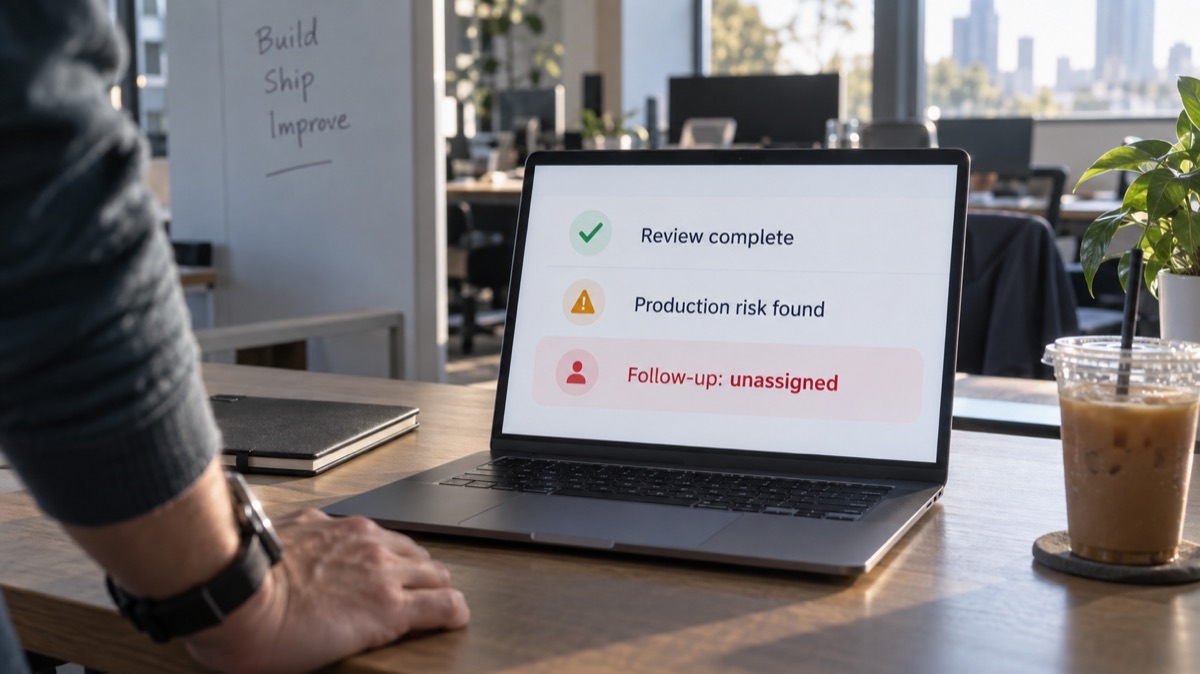
An LLM can flag a risk. Following it up tomorrow takes stored context, a trigger, and someone accountable for the out...
9 min read
25.06.2026, By Stephan Schwab

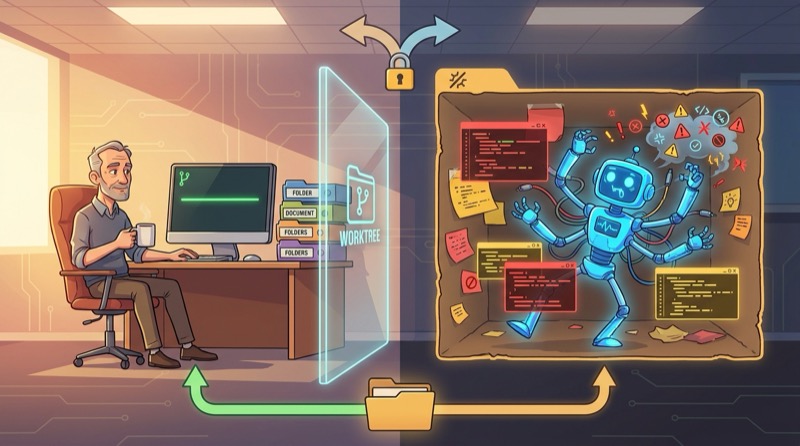
Git worktrees do not make AI coding parallel. Integration is still sequential, and that is non-negotiable regardless of how many directories you have open. What worktrees actually give you is a disposable blast radius: a place where the agent can generate, overwrite, and occasionally embarrass itself without touching the line you are relying on. The model matters less than people think. The harness — what files the agent can see, what tools it can call, what sandbox it lives in — is where the practical difference lives. A worktree makes the harness honest by keeping agent-generated mess out of your integration checkout until you decide it deserves to survive. One rule keeps the whole thing from quietly becoming a hidden branch workflow: only create a worktree for work you are willing to throw away.
The first reaction to Git worktrees is usually reasonable: is this just a branch with better marketing?
Not quite. A branch is a line of development. A worktree is another folder checked out at a branch. Same repository. Same history. Different directory.
That gives you something concrete:
myapp/              main
myapp-spike-auth/   spike/auth-cleanup
myapp-docs/         wait/docs-cleanup
That is useful. It is also much less magical than people make it sound.
Worktrees do not solve coordination. They solve a simpler and very real annoyance: you want another clean checkout without stashing half-finished work, switching branches back and forth, or making your main working directory look like a crime scene.
People keep talking as if GitHub Copilot, Claude Code, Codex, OpenCode, Pi, and the rest are magical beings with fundamentally different superpowers. That is the wrong frame.
The model matters. Of course it does. But most of what people experience day to day is not “the model” in isolation. It is the stack around it.
Three pieces make up what you call “the AI”:
That distinction matters because the agent loop between GitHub Copilot and Claude Code is mostly just plumbing: how many steps before it stops, how it manages the context window, how it retries failures. The harness differences are larger and explain most of the felt gap between tools. Different tool definitions. Different file-reading strategies. Different system prompts. Different sandboxing. Different guardrails.
GitHub Copilot in agent mode, Claude Code, OpenCode, Codex CLI, Pi, and similar tools all combine those pieces differently. Some have better planning loops. Some inject more useful repository context. Some have a stronger terminal workflow. Some are wrapped in a better editing experience. Some simply have fewer guardrails and therefore feel bolder right up until they trash something important.
So no, it is usually not true that “Claude does it for me” while “Copilot cannot.” You are almost always comparing a stronger harness, a different context strategy, and a slightly different agent loop — not witnessing divine intervention from a brand name. The model’s token prediction is necessary but not sufficient. The harness is where the practical magic lives or dies.
Git worktrees became much more interesting once AI coding agents entered the room. Not because the agent is now developing in parallel in some profound sense. Because the agent is fast, prolific, and often sloppy in exactly the way an overconfident intern would be sloppy.
That changes the value of isolation.
A second worktree gives the agent a place to generate code, rewrite code, overreach, and occasionally embarrass itself without polluting the checkout you are using as your integration line.
That is where the harness comes in. A worktree is not just a Git trick. In practice it becomes part of the harness. It gives the agent a separate filesystem view, a separate dirty state, a separate blast radius. Same repository. Same history. Smaller chance that a disposable experiment contaminates the line you actually care about.
Put the same model in a weak harness and it feels clumsy. Put a merely decent model in a strong harness with the right files, the right tools, the right tests, and a disposable worktree, and suddenly people talk as if it became intelligent overnight.
Let the agent make a mess somewhere else. Bring back only the parts that deserve to survive.
That is the real practical win. Spikes, risky refactors, alternative implementations, documentation cleanups, test additions, and upgrade experiments all become easier when the blast radius stays in another folder.
The seductive idea is this: if I have multiple worktrees, I can do parallel development.
You can do parallel editing. That part is cheap.
You still cannot dodge sequential understanding, review, testing, and integration. One stream becomes the next stable state of the codebase. Then the next one does. The repository does not merge itself into a coherent product just because two directories exist at the same time.
Even as a solo developer, the constraint remains boring and non-negotiable: integration is still sequential.
You still have to decide what is good, what is dangerous, what needs rework, and what should be deleted without ceremony.
That matters even more with AI-assisted coding, because the tool can create larger change sets faster than your judgment can safely absorb them.
For solo trunk-based development, the normal flow is still the right one: work on main, finish a small slice, test it, commit, push.
Nothing about worktrees changes that discipline. It just gives you another place to do disposable work while the main line stays stable, green, and releasable.
That means the healthy mental model looks like this:
The moment the worktree stops being disposable, it starts drifting toward the old feature-branch mess with nicer ergonomics.
A good operating rule is brutally simple: only create a worktree for work you are willing to throw away. That rule keeps the whole thing honest.
If the branch inside the worktree feels precious, political, or too large to drop, it has already outlived its usefulness. Now you are not protecting trunk-based development. You are quietly replacing it with a hidden branch workflow and hoping the future version of you will enjoy the merge.
Useful lifetime: minutes or hours. Bad sign: days or weeks.
A temporary worktree should be merged, cherry-picked, copied from, or deleted quickly. Otherwise it starts accumulating integration debt while pretending to be productivity.
| Use case | Fit | Reason |
|---|---|---|
| Spike or experiment | Good | Easy to discard |
| Risky agent refactor | Good | Keeps main clean |
| Compare two implementations | Good | Separate folders make comparison easier |
| Documentation cleanup | Good | Low conflict |
| Add tests for unrelated code | Good | Usually independent |
| Investigate a bug | Good | You can inspect freely |
| Dependency upgrade experiment | Good | Risky but isolated |
| Long-running feature branch | Poor | Fights trunk-based development |
| Two agents editing the same module | Poor | Review and merge pain shows up fast |
| Parallel schema and service refactor | Poor | Hidden coupling eventually collects its fee |
The dividing line is simple. If the work is cheap to throw away and easy to integrate later, a worktree helps. If the work is deeply coupled to what is already changing in main, a second directory does not make it safer.
The best use case is not, “I want to develop two features at once.”
The better use case is this: while the agent works or tests run in one checkout, you use another checkout for small independent work. That makes worktrees ideal for idle pockets that would otherwise get wasted.
Good wait-time tasks:
Bad wait-time tasks:
This is not about maximizing simultaneous coding. It is about keeping flow without manufacturing extra cleanup work.
In this solo workflow, the GitHub CLI is useful, but secondary.
It helps when the work touches GitHub-hosted coordination instead of local code isolation. Issues, workflow runs, releases, and similar repository housekeeping fit nicely. Pull requests matter less when you are not using them.
Useful commands might be:
gh issue list
gh issue view 123
gh run list
gh run watch
Helpful? Yes. Central productivity lever? No.
The bigger lever is having another working directory so local activity does not stall just because one checkout is busy, dirty, or mid-experiment.
Normal checkout:
repo/ main
Temporary worktree:
repo-wait/ wait/small-task
Then keep the flow boring on purpose:
The important part is not how many directories exist. The important part is that only one stream becomes the next stable trunk state at a time.
Git worktrees solve this: I need another clean checkout without stashing or switching branches.
They do not solve this: I want multiple streams of development to integrate themselves safely.
That second fantasy still collapses on contact with reality. Someone has to review the result, run the tests, and make the call. If that someone is you, then the constraint did not disappear. It just moved from typing to judgment.
With AI-assisted coding, Git worktrees are not a way to avoid discipline. They are a way to preserve discipline while giving the agent a safer harness.
That is the less magical and more useful truth. The impressive part is rarely the brand on the box. It is the combination of model quality, agent behavior, and harness design. Worktrees help because they improve the harness. They do not make judgment parallel, and they do not rescue sloppy thinking. They just give the machine a scratch lane so your trunk does not become one.
Tell me what is happening. I listen, ask a few practical questions, and reflect back what I see: where the risk may sit, what may be blocking delivery, and what looks worth checking next. No pitch, no obligation. Confidential and direct.
Talk it through. Practical reflection, no pitch.
Start a ConversationTelenovelas show what we can't say in client meetings. The drama is heightened, but the patterns are real.
 Stefan's Progress, Klaus's Report
Stefan turns one working radio fix into momentum across climate control and navigation: test first, flash fast, prove it on real hardware. Then Kla...
 The Scattered — Part One
The collapse of Whitaker Payroll means something different in every household it touches. Olivia Parker and Ryan Mitchell step into sane new jobs w...
Embedded into your team as an active contributor, reducing delivery friction and helping important work move cleanly.
Peer-style technical assessments before far-reaching decisions; reduce architectural and product risk early.
Ship working software to real users earlier. Measure impact and adapt based on evidence rather than assumption.
High quality, maintainable software. Short-term augmentation that leaves lasting capability in your own team.
A senior developer for your team
Our Embedded Delivery Partner writes production code with your team, improves the pipeline, and accelerates delivery. 60-70% coding, 30-40% coaching. A temporary teammate who ships from day one.