
The System Only One Person Understands
If every critical change starts with the same name, your delivery system is carrying a quiet executive risk.
9 min read
14.02.2026, By Stephan Schwab

Pair programming has been around since the ENIAC days, yet it remains misunderstood and underutilized. This article explores the proven styles of collaborative coding—from traditional pairing to mob programming—and examines how AI assistants are changing the equation. Not by replacing human collaboration, but by introducing new dynamics that demand fresh thinking about knowledge transfer, learning, and sustainable delivery.
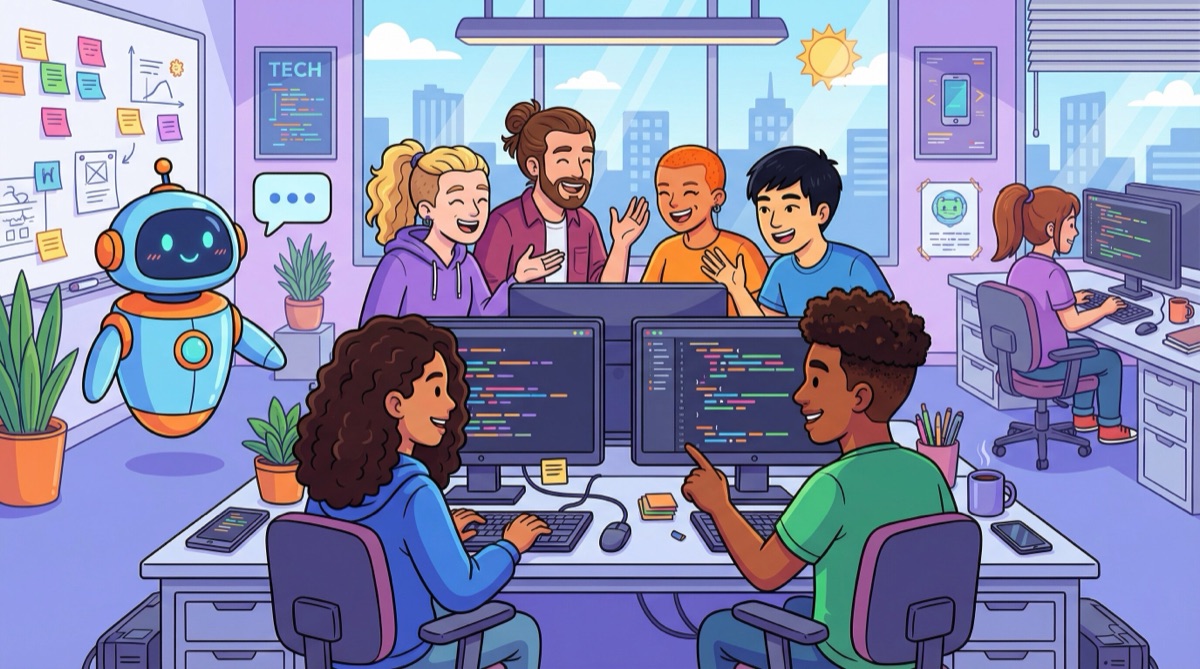
The mythology of the lone genius developer—hunched over a keyboard at 3am, single-handedly shipping miraculous code—persists in our industry. It makes for compelling storytelling. It’s also largely fiction.
Jean Bartik, one of the ENIAC programmers, said it plainly: “Betty Snyder and I, from the beginning, were a pair. And I believe that the best programs and designs are done by pairs, because you can criticize each other, and find each others errors, and use the best ideas.” This was in the 1940s. Before the word “program” was even established. They invented programming itself as a collaborative practice.
So why, eight decades later, do so many organizations still treat collaboration as optional, expensive, or a sign that developers lack independence?
The comprehensive work from Birgitta Böckeler and Nina Siessegger at Thoughtworks documents what effective pairing looks like in practice. Not theory. Practice. Here are the styles that work:
The classic approach. One person (the driver) writes code while thinking tactically—focused on the immediate lines, syntax, and details. The other (the navigator) thinks strategically—watching for larger patterns, potential obstacles, upcoming decisions.
The key is role switching. Regularly. If one person drives for hours while the other watches passively, you’re doing it wrong. The energy comes from both people actively participating, each bringing a different cognitive mode to the work.
This works brilliantly when you have a clearly defined task that lends itself to test-driven development. Developer A writes a failing test. Developer B writes the implementation to make it pass. Then Developer B writes the next failing test, and Developer A implements. Back and forth. Red-green-refactor in a rhythm.
It forces disciplined TDD. It keeps both people engaged. And it naturally distributes knowledge because both developers touch both tests and implementation.
“For an idea to go from your head into the computer it MUST go through someone else’s hands.”
This style is particularly effective for knowledge transfer. The experienced person navigates. The novice drives. The navigator guides without taking over. The driver trusts the navigator even when understanding is incomplete, with questions deferred until after implementation.
It borders on micro-management, which is exactly why you shouldn’t overuse it. But for initial onboarding, for transferring specific technical knowledge, it’s remarkably effective. The goal is active learning by doing, not passive watching.
This is less a technique and more a mindset shift. A user story lifecycle includes planning, research, exploration, documentation—not just typing code. Pairing through all those activities keeps both people invested in the outcome.
When you hit unknowns, split up to research different angles. Define the questions you need to answer, timebox the exploration, then reconvene to share findings. This respects different learning paces while maintaining shared ownership.
Sometimes two isn’t enough. Sometimes the whole team should be in the room.
Mob programming (also called ensemble programming to avoid the negative connotations of “mob”) extends the pairing concept: everyone works on the same thing, at the same time, on the same computer. One person drives. The rest navigate.
Sounds chaotic. Done well, it’s the opposite.
Woody Zuill, who pioneered this approach, describes it as “All the brilliant people working on the same thing, at the same time, in the same space, on the same computer.” The benefit isn’t speed—it’s alignment. Complex decisions get made with everyone present. Knowledge spreads instantly. No one is blocked waiting for someone else to finish.
Use it for:
Don’t use it for:
The Thoughtworks article notes that rotations every 2-3 days in regular pairing help prevent knowledge silos, but too-frequent rotations create excessive context switching. The same principle applies to mob sessions. Use them intentionally, not as default.
Now we arrive at the part that’s genuinely new. AI-powered coding assistants — the ones that integrate directly into your editor, offering real-time code suggestions, completions, and refactoring — have introduced a different kind of collaboration dynamic.
When an AI assistant sits in your development environment, it handles certain navigator functions automatically:
This is real. Developers report measurable productivity gains on routine coding tasks. But that’s not the interesting part.
The interesting part is what this frees the human navigator to do.
A human pairing partner provides things AI cannot:
AI assistants are excellent at pattern matching. They’re trained on millions of code examples. But they don’t understand your product strategy, your users’ pain points, or the constraints your team operates under.
Here’s where it gets problematic.
A junior developer pairing with a senior developer learns not just what to code, but why certain approaches work and others don’t. They see decision-making in real time. They ask questions. They absorb tacit knowledge about the domain and the codebase.
A junior developer pairing with an AI assistant gets fast answers. They get working code. But they miss the learning journey.
If we’re not careful, AI assistants become a crutch that prevents developers from building the judgment required for senior-level work. GitHub Copilot can suggest a correct implementation. It cannot explain the trade-offs, the historical context, or the alternatives that were considered and rejected.
This is why AI-assisted development works best when:
The framing that matters: AI assistants are tools that amplify what skilled developers can accomplish. They don’t replace the need for collaboration or mentorship.
Used well, they handle repetitive patterns so humans can focus on higher-level problems. Used poorly, they create a generation of developers who can ship code but can’t explain why it works.
The Thoughtworks article identifies something crucial: pairing is hard because it requires showing that you don’t know something, that you’re uncertain, that you made a mistake. In an industry obsessed with the myth of the 10x engineer, that’s uncomfortable.
But as Brené Brown’s research shows, vulnerability is the birthplace of innovation and change. Teams that can be vulnerable with each other—that can say “I don’t understand this” or “I think we’re going down the wrong path”—are the teams that build great software.
Practical measures to make it work:
The organizations that get this right don’t treat pairing as a process imposed from above. They treat it as a skill to be learned, practiced, and continuously improved.
Many teams avoid pairing because they already have code review. Formal approval workflows. Two sign-offs required. Process enforced.
Here’s the problem: code reviews after the fact are often superficial. The coder defers a few decisions thinking the reviewer will catch problems. The reviewer trusts the coder’s diligence and doesn’t look too closely. The sunk cost fallacy kicks in—nobody wants to cause rework on something already “done.”
Pairing gives you code review in real time, when it’s still cheap to change direction. Four eyes on the code as it’s written. Immediate feedback. Continuous small corrections instead of big rework cycles.
For teams practicing trunk-based development and continuous integration (as documented in the State of DevOps reports), delayed code reviews actively undermine flow. You want small changes integrated frequently. Work sitting for days in review queues creates friction, not safety.
Pull requests have their place—they’re essential for open source contributions where trust must be earned and review latency is unavoidable. But in-company teams working from a shared trunk should pair by default and commit directly.
Be pragmatic. Some tasks genuinely don’t benefit from pairing:
Junior developers particularly need some solo time to build confidence that they can solve problems independently. Constant pairing without breaks can create dependency rather than growth.
The key is making pairing the default while being intentional about exceptions. Not the other way around.
If you’re a developer:
If you’re a tech lead or manager:
If you’re an executive:
Jean Bartik and Betty Snyder figured this out in the 1940s. Eight decades later, the lesson remains: the best code comes from collaboration, criticism, and the willingness to use each other’s best ideas.
The solo developer myth dies hard. But it’s time to let it go.
Tell me what is happening. I listen, ask a few practical questions, and reflect back what I see: where the risk may sit, what may be blocking delivery, and what looks worth checking next. No pitch, no obligation. Confidential and direct.
Talk it through. Practical reflection, no pitch.
Start a ConversationTelenovelas show what we can't say in client meetings. The drama is heightened, but the patterns are real.
 QuantumMind Arrives
Three weeks in, Stefan's teams are shipping. Radio plays podcasts. Navigation reads temperature sensors from the CAN bus. Climate control has its f...
 The Scattered — Part Two
After Whitaker Payroll shuts its doors, the damage spreads unevenly. Some former employees find new work quickly. Others discover that decades of l...
Embedded into your team as an active contributor, reducing delivery friction and helping important work move cleanly.
Peer-style technical assessments before far-reaching decisions; reduce architectural and product risk early.
Ship working software to real users earlier. Measure impact and adapt based on evidence rather than assumption.
High quality, maintainable software. Short-term augmentation that leaves lasting capability in your own team.
A senior developer for your team
Our Embedded Delivery Partner writes production code with your team, improves the pipeline, and accelerates delivery. 60-70% coding, 30-40% coaching. A temporary teammate who ships from day one.